eBook Redemption Code Form – Redeem your eBook code here!
Campusbookstore.ca IS NOT Campusebookstore.com
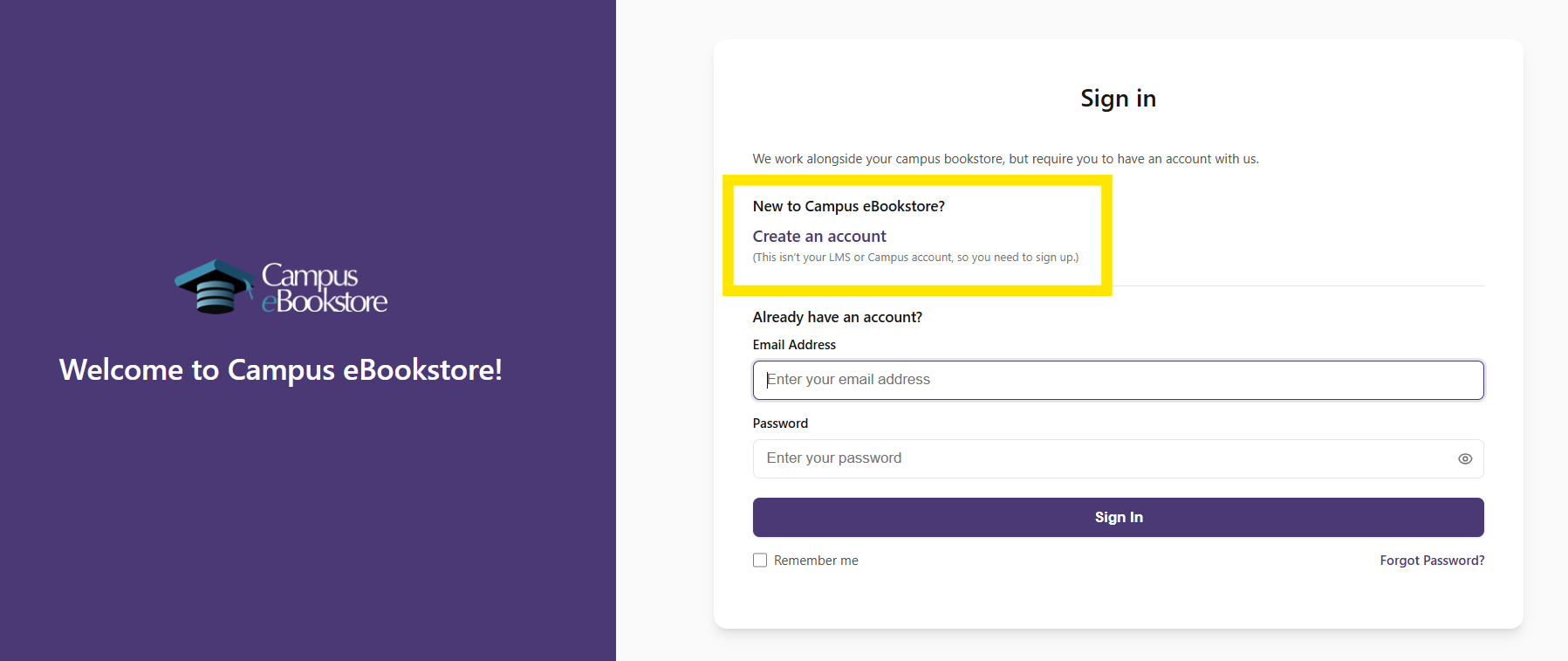
When you enter your code above, your eBook might open on another website called CampusEBookstore.com if it is powered by BibliU.
This website is not part of our bookstore.
- Your login from our bookstore will not work there.
- If you have never used that site before, you will need to create a new account.
(See the image below for help.)
Need help accessing your eBook?
After you redeem your code, you will get another email from the eBook company.
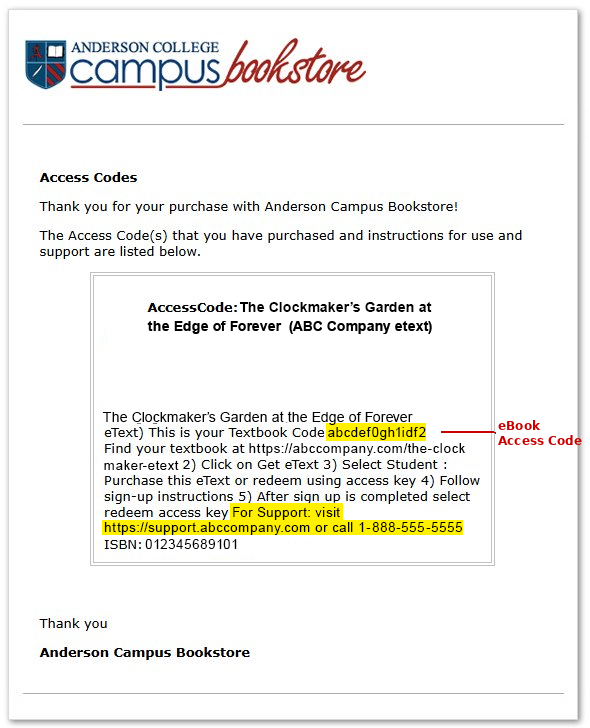
This email shows you how to open and read your eBook. It will look similar to the example image (see eBook Company Email image). It also includes your access code, but it may be a little hard to find in the email.
At the bottom of the email, you will find support information. This may include an email address, phone number, or website link.
If you have trouble using your code on the eBook company’s website, you need to contact the eBook company for help. We cannot access their system or fix issues with your eBook.
eBook Company Email
(not a real email – for demonstration only)